Already at 5.0 with plenty of reviews?
A high rating helps attract attention. Fresh reviews show what people value about your venue today. Even with a 5.0 rating, a new customer still wants to know whether you are right for them.
Will I get more reviews?
A prize gives guests an extra reason to leave a review, and the QR takes them to your chosen platforms. Start with one venue. Before launch, record the number of new reviews for a chosen period, then compare an equal period after launch. Account for how many guests visited in each period.
I need customers now. When should I expect results?
Reviews help people who are already choosing a venue decide to visit. get5stars helps collect reviews from your guests, but does not guarantee enquiries by a particular date. Compare new reviews and enquiries over equal periods. When assessing the financial result, account for prize and subscription costs. The service itself does not track revenue.
Can I start without paying?
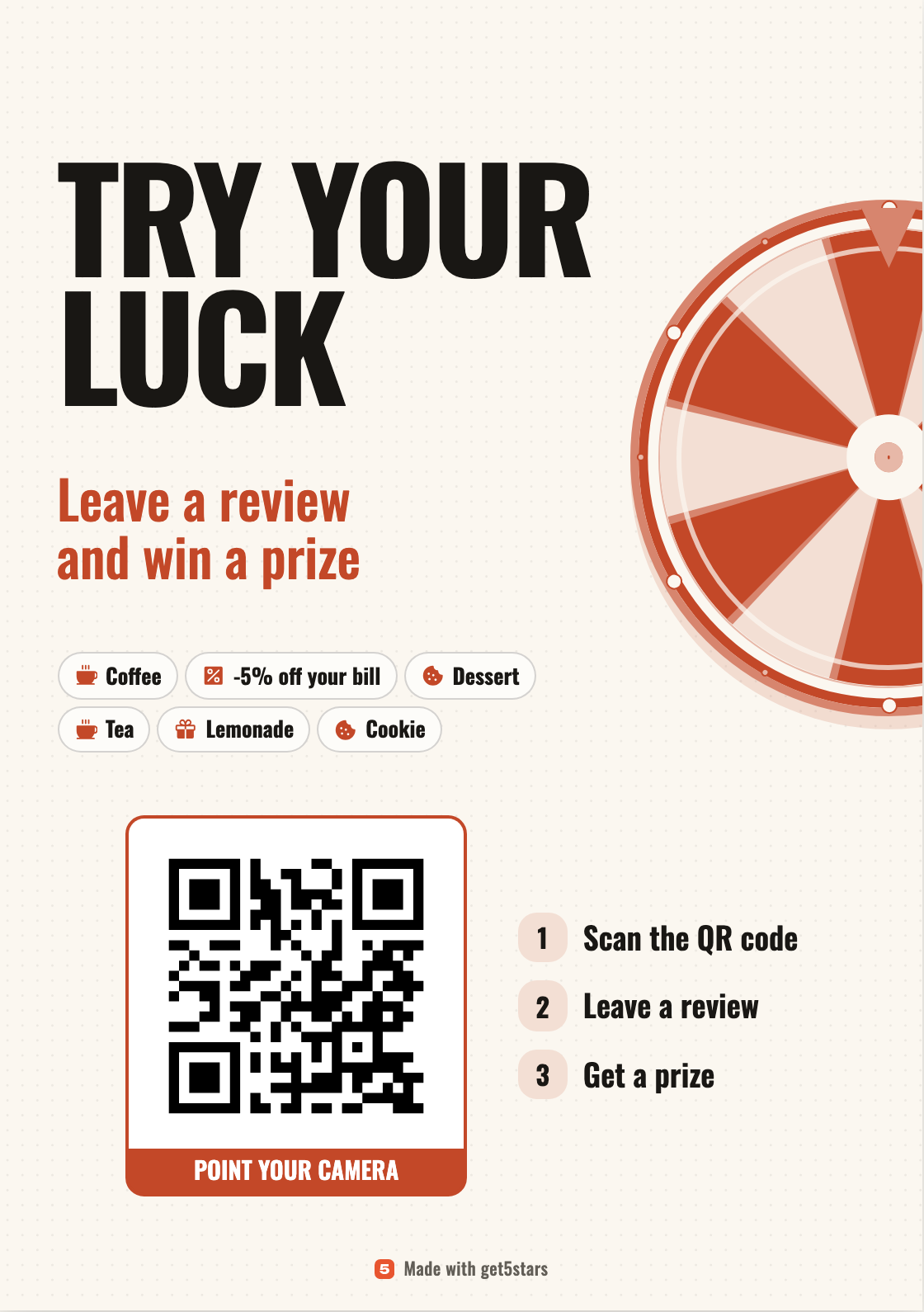
Yes. A shared QR, a page with your review platforms and a poster layout in your venue’s colours are free with no time limit. The prize wheel is included in Pro.
Who pays for and hands out the prizes?
Your venue provides discounts, goods or services. You choose the prizes and how often they come up. A staff member checks the win on the guest's phone and hands over the prize.
I already have a review QR code from Yandex Business or 2GIS. Can I keep it?
Yes, it will keep working. A platform QR opens one map listing. The get5stars QR opens your platforms and the prize game if you set one up. Change your platform links in the dashboard. The QR stays the same, so there is no need to reprint the poster.
Is this buying fake reviews?
No. Your own guests write the reviews after their visit, in their own words. The prize does not depend on the rating: the guest shows staff the win, not the review. The platform decides whether to publish each review.
How do I ask a guest for a review?
Place the QR where guests wait or pay: on the table, at the till, on the counter. With prizes set up, staff need one line: "Scan this, you can win a prize." The guest picks a platform and writes the review while the visit is fresh.
What happens after the trial?
If you do not subscribe, a live prize promotion pauses until you renew Pro. Your settings and history stay. Collecting reviews without prizes is free. To switch a prize promotion to a free page, confirm the change in your account and replace the posters.
Research on the role of reviews
- BrightLocal, 2026
A survey of 1,002 US adults: people consider review recency and consistent experiences across reviewers when choosing a local business.
- Michael Luca’s Yelp study
Research on independent restaurants in Washington State found that Yelp ratings affected revenue.
- Anderson and Magruder, The Economic Journal, 2012
A higher displayed Yelp rating increased the probability of a restaurant being fully booked. The study measured demand, not revenue.
- Farronato and Zervas, NBER, 2022
Reviews mentioning poor hygiene reduced demand for New York City restaurants. The authors combined Yelp reviews, OpenTable bookings and health inspections.
;}%20.ym1{fill-rule:evenodd;clip-rule:evenodd;fill:%23FF4433;}%20%3c/style%3e%3clinearGradient%20id='ymGrad'%20gradientUnits='userSpaceOnUse'%20x1='399.9971924'%20y1='1001.164856'%20x2='399.9971924'%20y2='1.1648352'%20gradientTransform='matrix(1%200%200%20-1%200%201001.164856)'%3e%3cstop%20offset='0'%20style='stop-color:%23FF6122'/%3e%3cstop%20offset='1'%20style='stop-color:%23F22411'/%3e%3c/linearGradient%3e%3cpath%20class='ym0'%20d='M0.0003631,399.9822083C0.0003631,179.087204,179.0875397,0,400.0122375,0%20c220.894989,0,399.9821472,179.087204,399.9821472,399.9822083c0,110.4474792-44.7495117,210.4059143-117.0736694,282.7895813%20c-18.8982544,18.8981934-44.4821777,39.9952393-72.1460571,62.845459%20c-78.3264771,64.6282349-173.382019,143.0736084-180.7808533,224.371521C428.5081177,986.4801025,416.5630188,1000,399.9824829,1000%20c-16.5507507,0-28.4958496-13.5200195-29.9815979-30.0112305c-7.3988342-81.2979126-102.4543762-159.7432861-180.7808838-224.371521%20c-27.6341705-22.8502197-53.2180634-43.9472656-72.1162491-62.845459%20C42.0009155,607.8423462-0.1427135,506.0710144,0.0003631,399.9822083z%20M540.0253906,400.0119019%20c1.1262207,77.3188782-60.6400757,140.9112549-137.9590149,142.0374756%20c-77.3188477,1.1262207-140.9111938-60.6400757-142.0374451-137.9589539c-0.0197754-1.3594055-0.0197754-2.7190857,0-4.0785217%20c1.1262512-77.3188477,64.7185974-139.0851746,142.0374451-137.9589233%20C477.7974243,263.1560364,538.9222412,324.2809143,540.0253906,400.0119019z'/%3e%3cpath%20class='ym1'%20d='M0.0003631,399.9822083C0.0003631,179.087204,179.0875397,0,400.0122375,0%20c220.894989,0,399.9821472,179.087204,399.9821472,399.9822083c0,110.4474792-44.7495117,210.4059143-117.0736694,282.7895813%20c-18.8982544,18.8981934-44.4821777,39.9952393-72.1460571,62.845459%20c-78.3264771,64.6282349-173.382019,143.0736084-180.7808533,224.371521C428.5081177,986.4801025,416.5630188,1000,399.9824829,1000%20c-16.5507507,0-28.4958496-13.5200195-29.9815979-30.0112305c-7.3988342-81.2979126-102.4543762-159.7432861-180.7808838-224.371521%20c-27.6341705-22.8502197-53.2180634-43.9472656-72.1162491-62.845459%20C42.0009155,607.8423462-0.1427135,506.0710144,0.0003631,399.9822083z%20M540.0253906,400.0119019%20c1.1262207,77.3188782-60.6400757,140.9112549-137.9590149,142.0374756%20c-77.3188477,1.1262207-140.9111938-60.6400757-142.0374451-137.9589539c-0.0197754-1.3594055-0.0197754-2.7190857,0-4.0785217%20c1.1262512-77.3188477,64.7185974-139.0851746,142.0374451-137.9589233%20C477.7974243,263.1560364,538.9222412,324.2809143,540.0253906,400.0119019z'/%3e%3c/svg%3e)